Remotely access another computer
AnyDesk is a free-to-use program for PCs that allows you to access another computer remotely and securely. To do this, both devices must have the program installed and must allow access through the use of security keys.
Top Recommended Alternative
Thanks to AnyDesk, you can do everything you want on another computer as if it were your own. Currently, this handy software is the main alternative to TeamViewer and Supremo Remote Desktop, programs that it surpasses in greater compatibility and ease of use. You can easily and effortlessly install it on any computer with the latest OS versions.
What is AnyDesk and what is it used for?
AnyDesk is a program of German origin created by the company AnyDesk Software GmbH. Programmed in C++, the program has a freeware license, so its use is completely free. It is very popular among professionals who provide technical support. Thanks to this program, it is possible to solve frequent problems on computers without the need for a personal visit, which saves a lot of money for both technicians and clients.
Its primary purpose is to grant bidirectional remote access between personal computers and mobile devices. To do this, it uses a TLS-1.2 type security protocol, which makes it impossible for a third party to intercept the connection and access the contents of either of the two computers. However, its functionality is heavily dependent on the available bandwidth. Plus, it has limited customization options.
How do I connect to AnyDesk?
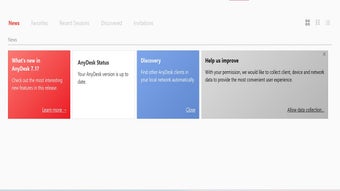
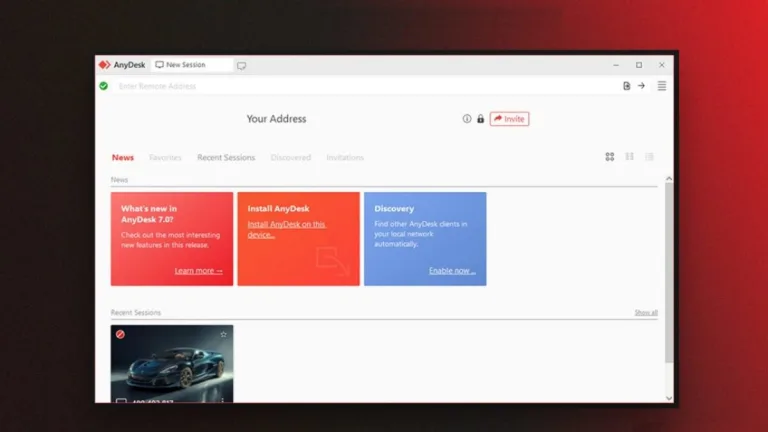
Fortunately, the software is a very easy-to-use program that does not require installation. Just download the executable file on both devices and run it to open the tool. When you do this, you will see that a 9-digit code appearing on the left side of the screen. Send it to the other user who has the program and they will be able to access and control your device.
To do this, you must enter that 9-digit code in the “Another workstation” section. Then, click on “Connect” to access the other device. You can also click on the “File Transfer” mode, which will allow you to send files from one computer to another, although in a limited way. Fret not about security issues, as the program is equipped with a TLS-1.2 security system used by banking apps.
Advanced controls and recent updates
AnyDesk handles more than just active screen sharing; it is particularly useful for managing remote computers when no one is around to help. You can set up Unattended Access with a permanent password, which lets you log into your office desktop or home server without needing someone on the other end to click "Accept." If the computer is actually turned off, the Wake-on-LAN feature can remotely power it up over the network.
The actual experience of moving files or clicking through folders feels responsive because of the proprietary DeskRT codec. This technology manages how data is compressed, which helps maintain a fluid frame rate and cuts down on the lag typically found in remote connections. For those working together, the built-in Whiteboard lets you draw instructions directly on the remote screen, while session recording allows you to save the entire interaction as a video.
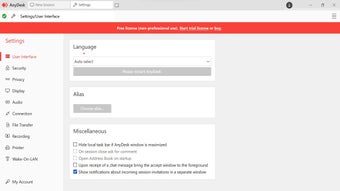
The rollout of version 9.0 through early 2026 has introduced significant upgrades to security and user management. You can now use two-factor authentication (2FA) for every session to add a necessary layer of protection beyond just a password. The developers also introduced a Session Request system, where you can send a direct link to someone instead of reading out ID numbers over the phone. Small interface changes, like a new search bar in the settings and a streamlined Process Viewer, make it much faster to find specific toggles or check how much memory the remote computer is using.
An essential remote access program
Whether you are a computer technician in charge of technical support or a student who needs to work together with their classmates, AnyDesk is the program you are looking for. It is a very easy-to-use program that also offers great compatibility, is very secure, and has almost imperceptible latency. Advantages that, without a doubt, you will be able to perceive from the moment you start using it.